Photograph what you own, keep it in an encrypted vault, and produce the document an insurer or the police actually ask for, without any of it ever reaching a server.
Now in TestFlight · launching on iOS and Android
Changing phones? Bring your vault with you, step by step
Every item, serial number and value is held in an encrypted database on the device, and every photo is encrypted beside it under a key derived from the same vault key. The key is derived from your passphrase and kept in the phone’s keystore. We don’t have it, we can’t derive it, and no copy is sent anywhere.

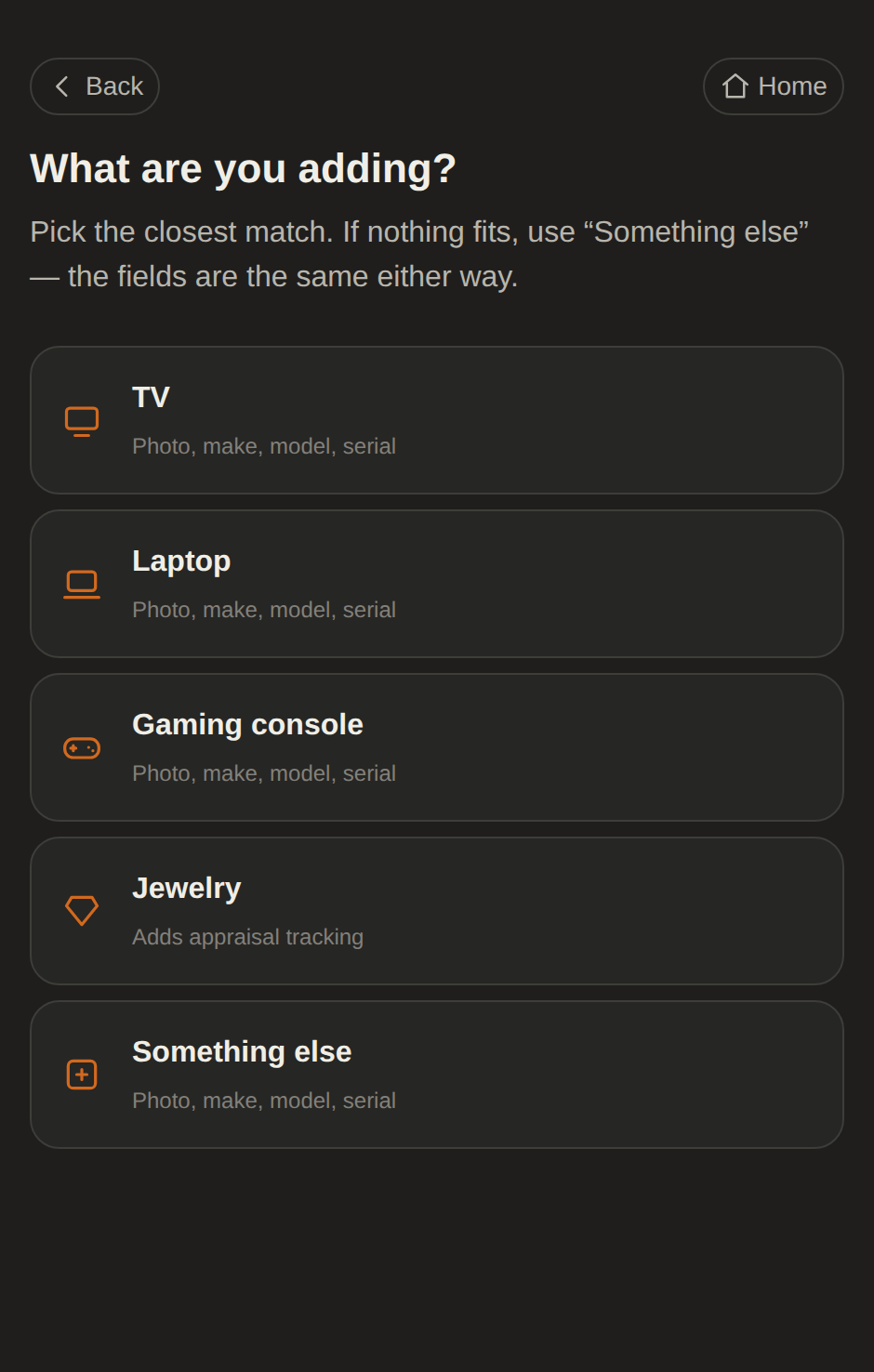
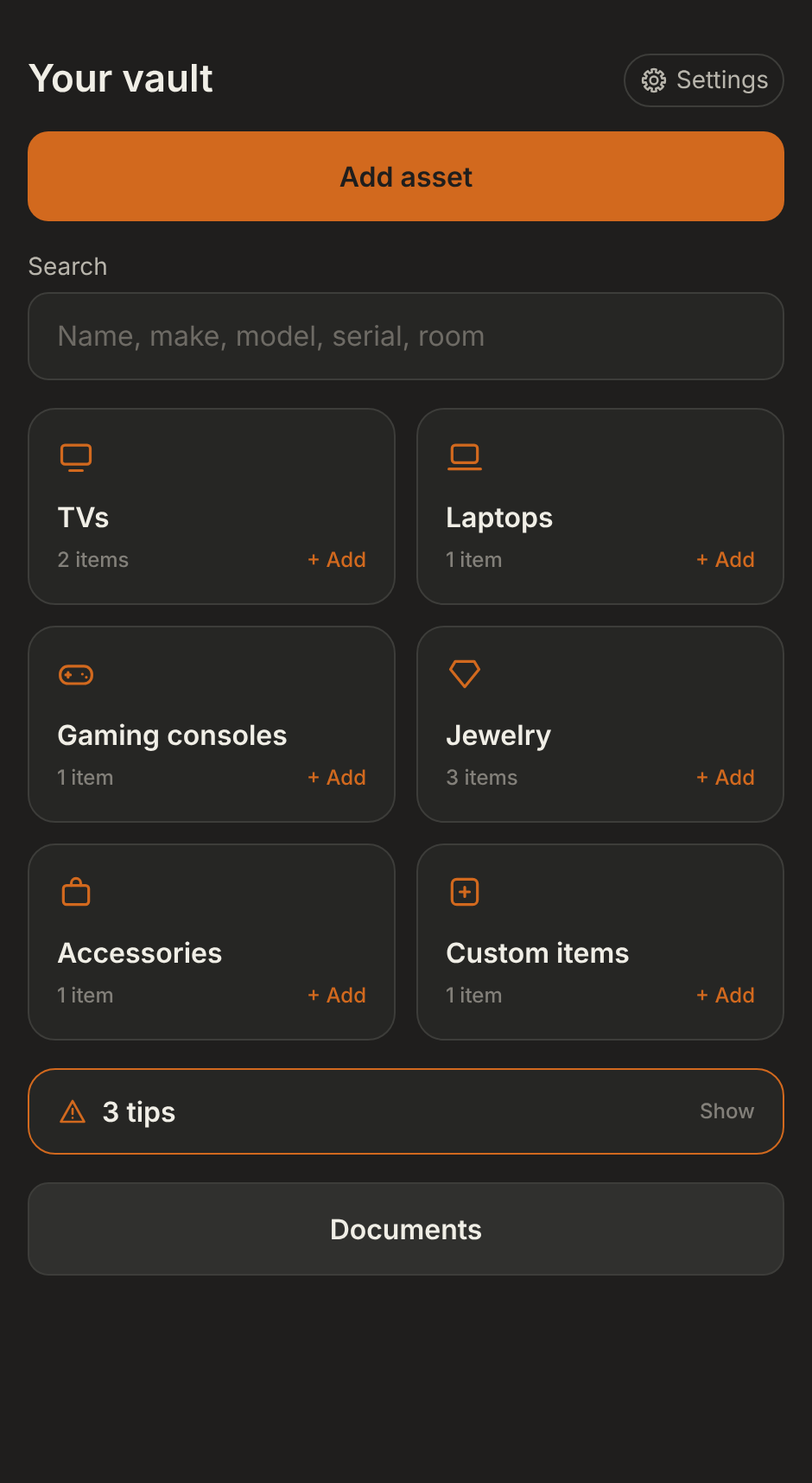
The TV, the laptop, the ring in the drawer. Point the camera and the app reads the make, model and serial off the label, and you check it before anything is saved.

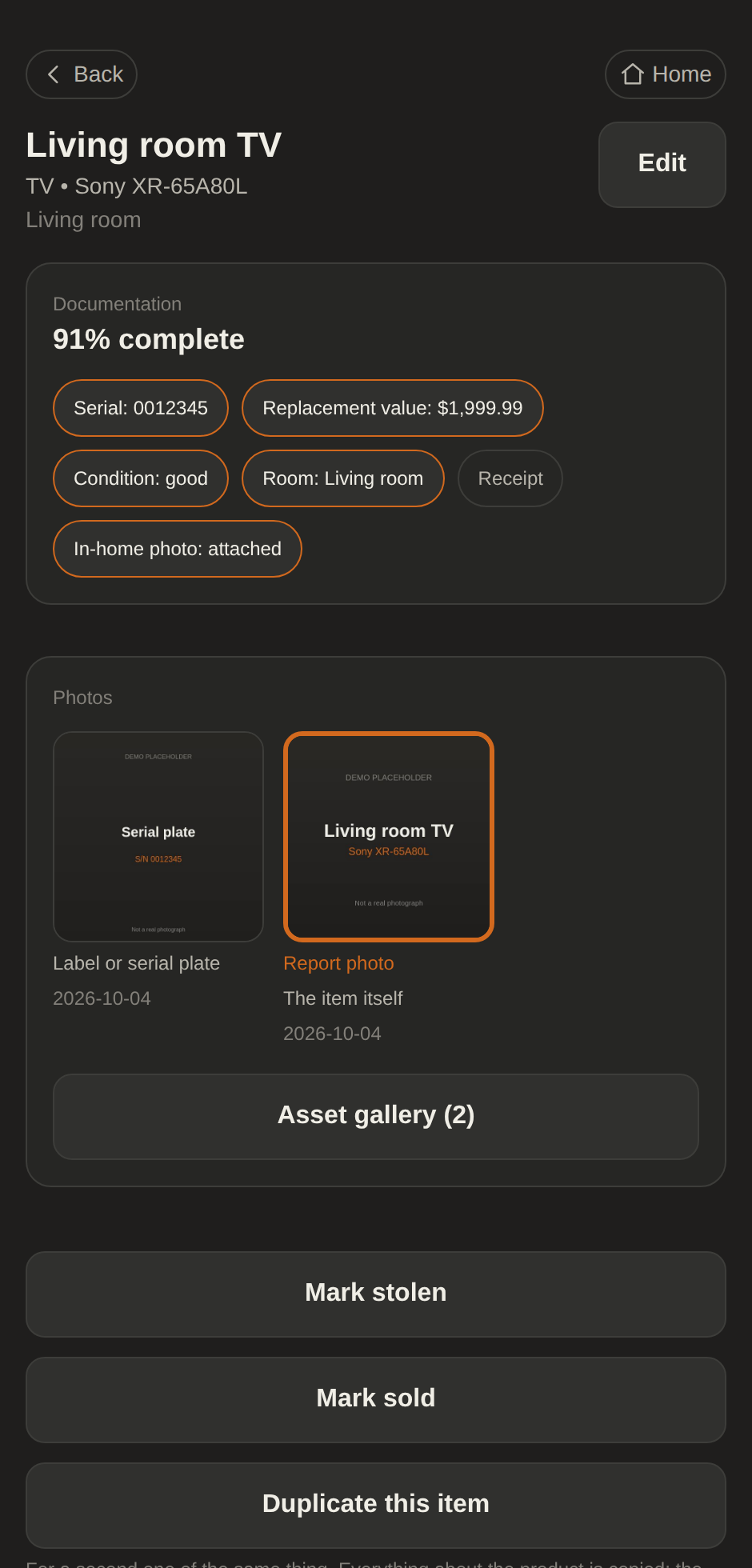
Serial numbers, receipts, appraisals, replacement values and the room it lives in, or just a photo and a name. The record is as complete as you make it, and it shows you how complete that is.

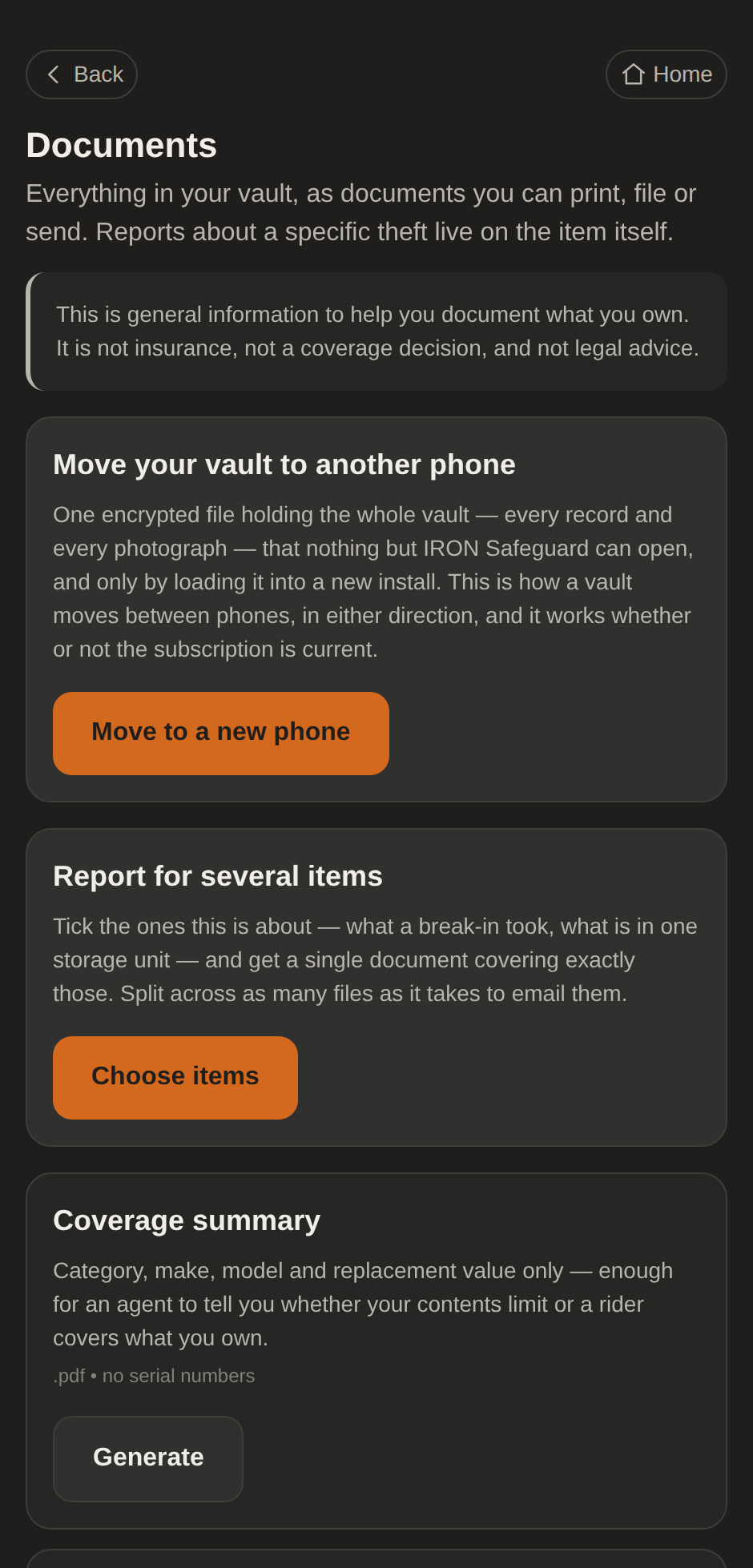
A police packet and an insurance packet for a stolen item. With IRON Plus, a coverage summary for your agent and a schedule of loss for an adjuster. Generated from your vault, on the device, and handed to you to send.

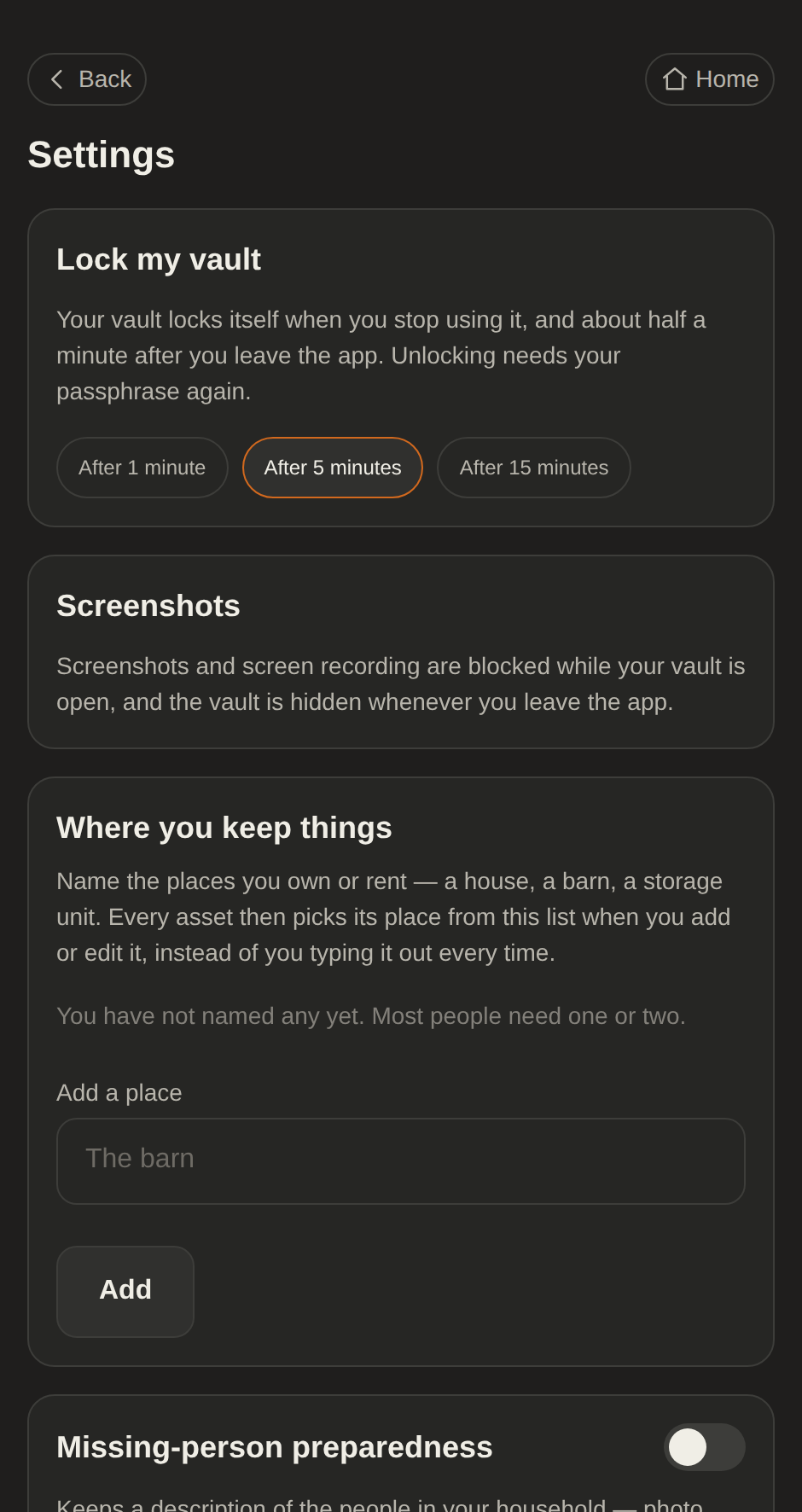
The vault locks after five minutes idle, or one or fifteen if you prefer, and 30 seconds after you leave the app. The moment you leave, its screen is covered, so nothing shows in the app switcher.

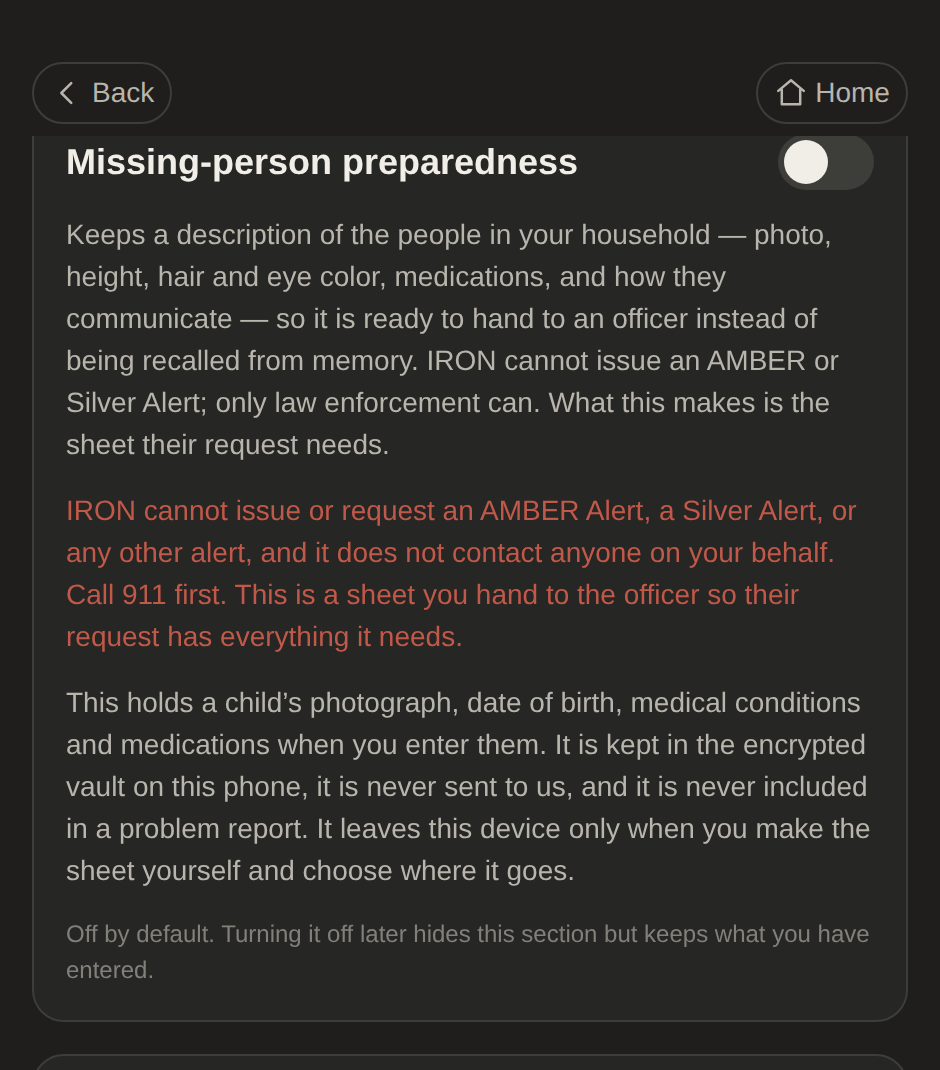
Switch it on and keep a description of the people in your household (a photo, height, hair and eye color, medications, how they communicate), so it’s ready to hand to an officer instead of recalled from memory on the worst kind of day.

Your vault lives on your phone and nowhere else, so a new phone will not find it on its own. Pick the phone you are leaving and the one you are moving to, and follow the steps on each.
iPhone to iPhoneAndroid to AndroidiPhone to AndroidAndroid to iPhone
Use the transfer file. Quick Start and iCloud skip your vault on purpose, so it is never in Apple’s cloud, and that is why moving it is a step you take yourself.
Scroll to Changing phones and tap Move to a new phone. Keep this phone and its vault until the move is finished.
Tap Create the transfer file. IRON packs every record and photograph into one encrypted file. A large vault travels in several parts: the screen says how many, and you make and send them one at a time.
The code is not your passphrase. It locks the file itself, it is the same for every part, and you type it once on the new phone. Do not type your passphrase anywhere until the new phone asks for it.
Tap Send the file and choose AirDrop, then pick your new iPhone and save it to Files. AirDrop is the quickest. Messages, Mail and iCloud Drive work too.
Get IRON Safeguard from the App Store and open it. There is no account to sign in to. IRON Plus comes back from your store account by itself; if it does not, tap Restore purchases on the IRON Plus screen. When it asks you to set a passphrase, stop: do not make a new vault.
Tap I already have a vault on another phone instead of setting a passphrase. Already made a new vault here by mistake? If nothing is in it yet, open Settings, scroll to Changing phones and tap Bring a vault from another phone. A vault with anything in it is never replaced.
Tap Choose the transfer files and pick them all at once. IRON shows how many assets the vault holds and when the file was made. If a part is missing it names which one, and nothing is written until the set is complete.
Enter the code from the old phone and tap Bring the vault over.
IRON shows Open your moved vault. Enter the passphrase you set on the old phone. It did not travel with the file, and it is the only thing that opens it.
Your records and photographs are back exactly as they were. Once you have looked, delete the transfer file from wherever you sent it. Only then remove IRON from the old phone.
Use the transfer file, which always works. On Android 12 and later, Android can also carry the vault for you while you set up the new phone.
If you set up the new phone with Android’s own copy apps and data step, by cable or wirelessly, on Android 12 or later, your vault comes across with IRON. Open IRON on the new phone and it shows Open your moved vault: enter the passphrase you set on the old phone and you are done. If IRON opens on a new vault screen instead, the vault did not come across, so use the transfer file.
Scroll to Changing phones and tap Move to a new phone. Keep this phone and its vault until the move is finished.
Tap Create the transfer file. IRON packs every record and photograph into one encrypted file. A large vault travels in several parts: the screen says how many, and you make and send them one at a time.
The code is not your passphrase. It locks the file itself, it is the same for every part, and you type it once on the new phone. Do not type your passphrase anywhere until the new phone asks for it.
Tap Send the file and choose Quick Share, then pick your new phone. Quick Share is the quickest. Email and Google Drive work too.
Get IRON Safeguard from Google Play and open it. There is no account to sign in to. IRON Plus comes back from your store account by itself; if it does not, tap Restore purchases on the IRON Plus screen. When it asks you to set a passphrase, stop: do not make a new vault.
Tap I already have a vault on another phone instead of setting a passphrase. Already made a new vault here by mistake? If nothing is in it yet, open Settings, scroll to Changing phones and tap Bring a vault from another phone. A vault with anything in it is never replaced.
Tap Choose the transfer files and pick them all at once. IRON shows how many assets the vault holds and when the file was made. If a part is missing it names which one, and nothing is written until the set is complete.
Enter the code from the old phone and tap Bring the vault over.
IRON shows Open your moved vault. Enter the passphrase you set on the old phone. It did not travel with the file, and it is the only thing that opens it.
Your records and photographs are back exactly as they were. Once you have looked, delete the transfer file from wherever you sent it. Only then remove IRON from the old phone.
Use the transfer file. It is the only road between an iPhone and an Android phone, because neither company’s switching tool carries an app’s private files across, and it works in both directions.
Scroll to Changing phones and tap Move to a new phone. Keep this phone and its vault until the move is finished.
Tap Create the transfer file. IRON packs every record and photograph into one encrypted file. A large vault travels in several parts: the screen says how many, and you make and send them one at a time.
The code is not your passphrase. It locks the file itself, it is the same for every part, and you type it once on the new phone. Do not type your passphrase anywhere until the new phone asks for it.
Tap Send the file and email it to yourself, or save it to Google Drive or another cloud drive. On the Android phone, download it so the file is on the phone before you choose it. AirDrop does not reach Android phones.
Get IRON Safeguard from Google Play and open it. There is no account to sign in to. A subscription bought through the App Store does not carry over to Google Play, so subscribe on the new phone, then cancel the old one in your old store account settings so you are not billed twice. When it asks you to set a passphrase, stop: do not make a new vault.
Tap I already have a vault on another phone instead of setting a passphrase. Already made a new vault here by mistake? If nothing is in it yet, open Settings, scroll to Changing phones and tap Bring a vault from another phone. A vault with anything in it is never replaced.
Tap Choose the transfer files and pick them all at once. IRON shows how many assets the vault holds and when the file was made. If a part is missing it names which one, and nothing is written until the set is complete.
Enter the code from the old phone and tap Bring the vault over.
IRON shows Open your moved vault. Enter the passphrase you set on the old phone. It did not travel with the file, and it is the only thing that opens it.
Your records and photographs are back exactly as they were. Once you have looked, delete the transfer file from wherever you sent it. Only then remove IRON from the old phone.
Use the transfer file. It is the only road between an iPhone and an Android phone, because neither company’s switching tool carries an app’s private files across, and it works in both directions.
Scroll to Changing phones and tap Move to a new phone. Keep this phone and its vault until the move is finished.
Tap Create the transfer file. IRON packs every record and photograph into one encrypted file. A large vault travels in several parts: the screen says how many, and you make and send them one at a time.
The code is not your passphrase. It locks the file itself, it is the same for every part, and you type it once on the new phone. Do not type your passphrase anywhere until the new phone asks for it.
Tap Send the file and email it to yourself, or save it to Google Drive or another cloud drive. On the iPhone, save the attachment or the download to the Files app before you choose it. Quick Share does not reach iPhones.
Get IRON Safeguard from the App Store and open it. There is no account to sign in to. A subscription bought through Google Play does not carry over to the App Store, so subscribe on the new phone, then cancel the old one in your old store account settings so you are not billed twice. When it asks you to set a passphrase, stop: do not make a new vault.
Tap I already have a vault on another phone instead of setting a passphrase. Already made a new vault here by mistake? If nothing is in it yet, open Settings, scroll to Changing phones and tap Bring a vault from another phone. A vault with anything in it is never replaced.
Tap Choose the transfer files and pick them all at once. IRON shows how many assets the vault holds and when the file was made. If a part is missing it names which one, and nothing is written until the set is complete.
Enter the code from the old phone and tap Bring the vault over.
IRON shows Open your moved vault. Enter the passphrase you set on the old phone. It did not travel with the file, and it is the only thing that opens it.
Your records and photographs are back exactly as they were. Once you have looked, delete the transfer file from wherever you sent it. Only then remove IRON from the old phone.
It has the same picker and the same steps, word for word, and a button that starts the move on the phone you are holding. On a new phone, How moving works is on the very first screen.
Every screen above is the real app, captured while a vault was actually moved. It looks the same on iPhone and Android. Tap one to see it larger.
The privacy isn’t a policy we promise to keep. It’s a consequence of how the app is put together.
Your data lives in a 256-bit encrypted database on the phone, unlocked only by a key derived from your passphrase.
No account, no sign-in, no backend. Your subscription is checked with Apple or Google on the phone, and your inventory has nowhere to go but your device.
No advertising and no analytics service. The on-device label reader, Google ML Kit, sends Google performance and usage metrics, never your photos or the text it reads. Problem reports never carry vault contents.
Carry the whole vault to a new phone as a single encrypted file, iPhone or Android, in either direction.
Both plans keep everything on your phone, encrypted. Nothing you record is ever deleted.
| Feature | Free | IRON Plus |
|---|---|---|
| Items in the vault, from any category | 5 | Unlimited |
| Photos of each item | 2 | Unlimited |
| Police and insurance packets for a stolen item | For the 5 kept | Every item |
| Item reports (tick items, get one document) | For the 5 kept | Every item |
| Full vault report, coverage summary, claim worksheet | No | |
| Places (the house, the barn, the storage unit) | No | |
| Encryption, serial scanning, moving to a new phone | ||
| Missing-person sheets (household, opt-in) |
IRON Plus is $4.99 a month or $49.99 a year. Save 16%
Bought, renewed and cancelled only through the App Store or Google Play.
Cancelling keeps IRON Plus to the last paid day, then your vault is on Free. A declined payment pauses IRON Plus at once, and it comes back by itself when the store collects.
If IRON Plus ends with more than five items in your vault, you pick five to keep. The rest stay visible and readable, and can still be marked stolen or sold. They can’t be edited, and they have no reports until IRON Plus returns.
The worst time to make a list of what you owned is after it’s gone. IRON Safeguard is the record you make first, and keep private.
Deleting is permanent and immediate. There is no cloud copy and no way for us, for support, or for you to bring it back. That is the point of the product, and it is why the app makes you slow down.
On Free, “Make a copy first” saves an encrypted copy of the whole vault that opens in IRON with your passphrase. On IRON Plus, “Export everything first” gives you a PDF of your whole vault, the same document an adjuster or an officer would ask for. Once the vault is gone it is the only copy you will have.
Deleting your vault does not stop billing. Only the App Store or Google Play can, in your store account settings. Cancel there first, or you keep being charged for a vault that no longer exists.
The screen shows exactly how many items, photos and documents are about to be destroyed, and offers the copy one more time before anything happens.
A button is too easy to press by mistake, so you type the word, then choose “Permanently destroy my vault.”
There is no account to close: the vault on your phone is all there is, and nothing about you is kept by us. There is no backup to restore from, by design.
Uninstalling IRON has already removed the vault from that phone. If you made a saved copy or a transfer file, delete that file too. That is everything: there is no account, so there is nothing to ask us to delete. Apple and Google keep their own record of your purchases under their own policies.
In force from 2026-10-16
Written against what the app actually does, and not yet through a lawyer. The sections still being drafted say so rather than being filled in with a guess.
IRON Safeguard keeps a record of what you own in an encrypted vault on your own phone. This policy says what we hold, what we do not, and what you can do about it. It is written against what the app does rather than against what we would like to be able to say. Where a claim below sounds absolute, it is absolute because of how the app is built and not because of a promise about our future conduct.
Everything you record (every item, photograph, serial number, value and note) is encrypted and stored on your phone. It never reaches us. We could not read it if we wanted to, and neither could anybody who compromised us, subpoenaed us, or bought us.
There is no account and no sign-in. Your subscription is between you and Apple or Google, and the app asks the store on your phone whether it is current.
Everything you record about your property: names, makes, models, serial numbers, colors, values, conditions, rooms and places, purchase details, notes, and whether something was sold or stolen.
Every photograph and document you attach, including receipts and appraisals.
Your own name, address, email and phone number, if you enter them under Your details, and any insurance policy figures you enter. Your details are used for one thing: filling in the owner section of the reports you make. They are never shared, and they leave the phone only inside a report you make and hand over yourself.
If you turn on missing-person preparedness, the descriptions you enter of the people in your household, which may include a photograph, a date of birth, sex, race, distinguishing marks and their own phone number. Only if you also turn on health details: their medications, medical conditions, whether they are at risk when alone, and how they communicate.
Your records are held in a SQLCipher-encrypted database on the device. The key is derived from your passphrase and kept in the platform keystore. Photographs and documents are kept as files beside it, each encrypted with a key derived from the same vault key. We do not have that key, we cannot derive it, and nothing is sent anywhere.
Nothing. There is no account, no sign-in, and no server of ours that stores anything about you. We never learn your name, your email address or your phone number, and we do not store a date of birth.
Your inventory, your photographs, your serial numbers, your values, your address, your household, your insurance figures, your passphrase and your vault key are not with us either. It is not that we choose not to collect them; there is nowhere for them to go.
The vault is a SQLCipher database encrypted with a 256-bit key. That key is generated on your device and stored only as ciphertext, wrapped with a key derived from your passphrase using PBKDF2-HMAC-SHA512. The iteration count is chosen from what your own device can do in about a second, and recorded with the vault.
The wrapped key lives in the iOS Keychain or the Android Keystore, marked device-only. Your passphrase is never transmitted and never stored anywhere.
Photographs and documents are stored as files in the app’s private storage, each encrypted with AES-256-GCM under a key derived from your vault key, so deleting the vault key makes them unreadable along with the database. A photograph is opened in memory to be shown, and leaves the vault unencrypted only inside a document you choose to make. Inside a transfer file or a copy you keep, they are encrypted again with everything else.
The app locks itself after a period of inactivity and shortly after you leave it, and covers its screen the moment you leave so the vault does not show in the app switcher. On Android it blocks screenshots and screen recording while the vault is open. iOS does not let any app block a screenshot, so on an iPhone taking one locks the vault immediately; the picture already taken is an ordinary photo outside the vault. If the phone’s operating system looks modified, the app locks the vault and tells you why before you carry on.
Photographs have their EXIF metadata stripped before they are written, so a picture of your living room does not carry the coordinates of your home.
No system is perfect, and none of this protects a file after you have exported it.
The vault database, its journal files, your media and any staged export are excluded from iCloud backup and from Google Drive and Android Auto Backup, so they cannot be swept into a cloud backup we do not control.
On Android 12 and later there is one deliberate exception, and it is not a cloud one: if you move to a new phone using Android’s own device-to-device transfer, the vault directory goes with you. It travels directly between the two phones, still encrypted, and Google never receives it.
On iOS the vault is excluded from every backup and transfer channel, so moving it to a new iPhone is a step you take inside the app rather than something that happens on its own.
If you forget your passphrase, the vault cannot be opened: not by you, not by us, and not by anybody else. We hold no escrow key and no copy of your data.
What you can do is start over. "Forgot your passphrase?" on the unlock screen destroys the vault, after you type DELETE to confirm, and sets up a new, empty one. A subscription is kept, because it belongs to your App Store or Google Play account.
The app can remind you to keep your own encrypted copy. That setting is in Settings and it is off until you turn it on, and the copy it helps you make is yours to look after.
Only when you make it leave: generating a document, making the encrypted file that moves a vault to a new phone, or keeping a copy of your own.
Every one of those shows a warning first that names what the file will contain: whether it carries serial numbers, whether it carries your address. The app never transmits an export anywhere on its own: it hands the file to the share sheet your operating system provides and does nothing else with it.
Once a file leaves the vault it is outside anything we control, and where it goes afterwards is your decision and your risk.
When you photograph a label or your insurance declarations page, the app can read the text on it to suggest a serial number or your policy figures. That runs on this device, using Google’s ML Kit text recognition, and neither the photograph nor the text it reads is uploaded.
ML Kit does send Google information about how it ran, such as its performance and errors and details of the device and app, with an identifier for this install, under Google’s own terms. The app says so on both screens before you scan. Typing the details in by hand does not use it.
this description of what Google’s ML Kit sends, and the App Store and Google Play privacy answers that match it, need a lawyer’s approval before release.
A suggestion is a suggestion. The app never claims to have verified or confirmed anything about an item, and nothing it suggests is saved until you have read it and confirmed it.
There is no analytics service, no advertising network, no third-party tracker and no crash-reporting service in the app. The one thing that reports on its own is ML Kit’s usage information, described under Reading a label with the camera, and only when you scan.
If you choose to send a problem report, it carries information about the app and the device, how many items your vault holds and a few on and off facts about it (such as whether it is locked), a trail of which screens you visited, and anything you type to describe the problem. It never carries the contents of your vault. You can read the whole report before it goes anywhere, and nothing is sent unless you send it.
A report is sent as an email from your own email app to our support address, so we receive your email address and what you chose to send. We use them only to look into the problem and reply to you.
An automated check in our build enforces that, and the household area reports under one name so that a report cannot disclose that somebody went missing.
Apple and Google process your subscription and keep the record of it under their own privacy policies. The app asks the store on your phone whether it is current, and the answer goes from the store to the app and nowhere else. Neither of them receives vault contents.
Google’s ML Kit receives information about how text recognition ran when you scan, as described above. It never receives the photograph or the text.
If you turn on the additional categories, the app downloads a list of firearm makes and models so it can suggest them. The request asks for the list and carries nothing about you or your vault, though like any download it reaches the server with your network address.
That is the complete list. We sell nothing to anybody.
IRON Safeguard is for adults. Before you can use it, the app asks you to confirm that you are 18 or older and have reached the age of majority where you live, and it asks again if the terms change. That is a statement you make; the app keeps no date of birth.
The additional categories ask for 21 or older, the same everywhere. That is IRON Safeguard’s own rule for them, not a statement of what the law allows where you live, and the answer never leaves your device.
The missing-person feature is off until you turn it on. When a parent uses it, it may hold a child’s photograph, date of birth and description, and, only if health details are turned on as well, their medications, medical conditions, whether they are at risk when alone, and how they communicate. That information stays in your vault on the phone: we never receive it, it is never included in a problem report, and it leaves the device only in a sheet you generate and hand over yourself.
Three things destroy the vault permanently. You delete it from Settings. You start over from "Forgot your passphrase?" on the unlock screen. Or you uninstall the app, which discards the keystore entry holding your wrapped key and takes the vault directory with it. Not paying is not one of them: if a subscription ends, the vault stays exactly as it is.
In every case the key material is destroyed first (both the keystore copy and the passphrase-wrapped copy in the vault directory), and then the files are overwritten and unlinked. There is no cloud copy to restore from, no support-side undo, and no retention period during which we could recover it.
The one thing that can outlive an uninstall is a transfer file you made yourself beforehand. That copy is wherever you put it, locked with your passphrase, and it is yours to keep or destroy.
There is no account to delete, because there is no account.
Deleting your vault does not cancel your subscription. Only the App Store or Google Play can do that, in your store account settings, and you should cancel there first.
Depending on where you live, you may have rights to access, correct, export or delete personal information we hold about you, and to object to or restrict how we use it.
Everything you would ask for is already on your phone and not with us, and there is no account record here to access, correct or delete. If you write to the contact below, that is what we will tell you.
the specific disclosures required for California (CCPA/CPRA), the EEA and the UK (GDPR), and any other jurisdiction this is sold into, including the legal basis for processing and the identity of any controller or representative.
If this policy or the terms change, the app shows the agreement again before you open your vault, rather than quietly updating a page. The effective date above is the one in force.
the legal entity, postal address and contact email
In force from 2026-10-16 · also serves as the EULA
Written against what the app actually does, and not yet through a lawyer. The sections still being drafted say so rather than being filled in with a guess.
These terms govern your use of IRON Safeguard. They are written to be read, and the parts that will matter most to you are the ones about your passphrase, what the free plan and IRON Plus include, and the limits on what we are responsible for.
IRON Safeguard is a documentation tool. It helps you record what you own and produce documents about it.
It is not insurance, not a coverage decision, and not legal advice. It does not read your policy and it never tells you whether you are covered; it compares figures you typed in. It does not file a police report, submit anything to an insurer, or contact anybody on your behalf. It cannot issue or request an AMBER or Silver Alert; only law enforcement can.
Every document it produces is prepared from what you entered. IRON Safeguard has not checked it for accuracy, and no insurer, officer or anybody else is bound to accept it.
Nothing the app produces is a substitute for advice from your insurer, your agent, your attorney, or the police.
The app includes open-source software and Google’s ML Kit, each under its own license. Their notices are in Settings, under Licenses.
You must be 18 or older, and have reached the age of majority where you live, to agree to these terms and use the app. You confirm both before your vault opens.
Your vault is encrypted with a key derived from your passphrase. We do not have it and cannot derive it.
If you forget your passphrase, your vault cannot be opened: not by us, not by support, and not by you. There is no reset link and no recovery path, and this is a consequence of the encryption rather than a policy we could choose to relax. You can start over with a new, empty vault from the unlock screen.
You keep every right you have in what you record. We claim no license to it, and we could not use it if we wanted to: it never reaches us.
IRON Safeguard is free to use for five items, from any category, with two photos of each, including a report on any of them and the police and insurance packets for any of those five that is stolen. IRON Plus, which removes both limits and adds the whole-vault reports and places, is sold as an auto-renewing subscription, monthly or yearly, through the App Store or Google Play. Your store account is billed, your store account is where it renews, and your store account settings are the only place it can be changed or cancelled.
Prices are shown in the app before you buy. Refunds are handled by the store under the store’s own policy, not by us.
You go back to the free plan, and nothing you recorded is deleted. If your vault holds more than the free plan does, you choose which five items stay editable, from any category; the others stay on your device, visible and readable, and can still be marked stolen or sold; their police and insurance packets wait until you subscribe again. New items wait while your vault holds five or more, photos are limited to two of each item, and the whole-vault reports and naming places wait until you subscribe again. Subscribing again unlocks everything at once.
Nothing is deleted because a subscription ended, and nothing ever will be.
Record only property you lawfully own, and use the app only for lawful purposes.
The additional categories, including firearms, are off by default and require you to confirm that you are 21 or older and legally allowed to own each item you record. 21 is IRON Safeguard’s own rule for those categories wherever you live, not a statement of the law. That confirmation is a declaration you make, not something we verify, and we are not in a position to verify it.
You are responsible for the accuracy of what you record and for anything you do with a document the app produces for you.
The app runs on your device and needs nothing from us to keep working. Buying a subscription and confirming it is current need the App Store or Google Play, and when they are unreachable the app keeps the plan the store last confirmed.
The app is provided as is and as available, without warranties of any kind, whether express, implied or statutory, including any implied warranties of merchantability, fitness for a particular purpose, and non-infringement.
We do not warrant that the app will be uninterrupted or error-free, that any document it produces will be accepted by an insurer or a law enforcement agency, or that the values and descriptions you record are accurate. Those are yours.
some jurisdictions do not allow the exclusion of implied warranties, and consumer protection law in several of them overrides this section entirely. The carve-out language and its scope need a lawyer.
To the fullest extent the law allows, we are not liable for indirect, incidental, special, consequential or punitive damages, or for lost profits, lost data, or the cost of substitute services.
This matters more here than in most apps, because the app is designed so that data can be permanently lost: by forgetting a passphrase, by deleting your vault, or by losing the phone it is on. You are responsible for keeping your own copy if you want one.
the liability cap. A figure tied to what you paid in the preceding twelve months is the usual shape, and both the figure and whether it is enforceable where this is sold need a lawyer. Several jurisdictions do not permit limiting liability for death, personal injury, fraud, or gross negligence.
governing law, venue, and whether disputes are resolved by arbitration, including any class-action waiver and any small-claims carve-out. This section is deliberately empty rather than guessed at; an unenforceable arbitration clause is worse than none, and a guessed one may be both unenforceable and evidence of bad faith.
If these terms change, the app asks you to agree to the new version before your vault opens again. Nothing in your vault changes while you decide, and if you would rather not agree, you can cancel your subscription in your store account settings instead. The effective date above is the version in force.
the legal entity, postal address and contact email